Pendo
The Pendo connection uses Pendo’s integration key to read visitor and account data into FunnelStory for product analytics and account-level activity.
What FunnelStory uses it for
- Product usage — Pendo data backs product-activity style views and timelines in the product.
- Sync window —
time_range_daysdefaults to 7 when unset; increase carefully for large subscriptions.
Before you connect
- In Pendo Settings → Integrations → API, create an integration key with read access.
- If you use a dedicated Pendo hostname, set
base_url; otherwise it defaults tohttps://app.pendo.io.
Add the connection in FunnelStory
-
Open Configuration → Connections → Add connection, then choose Pendo.
-
Complete the fields in the connection form:
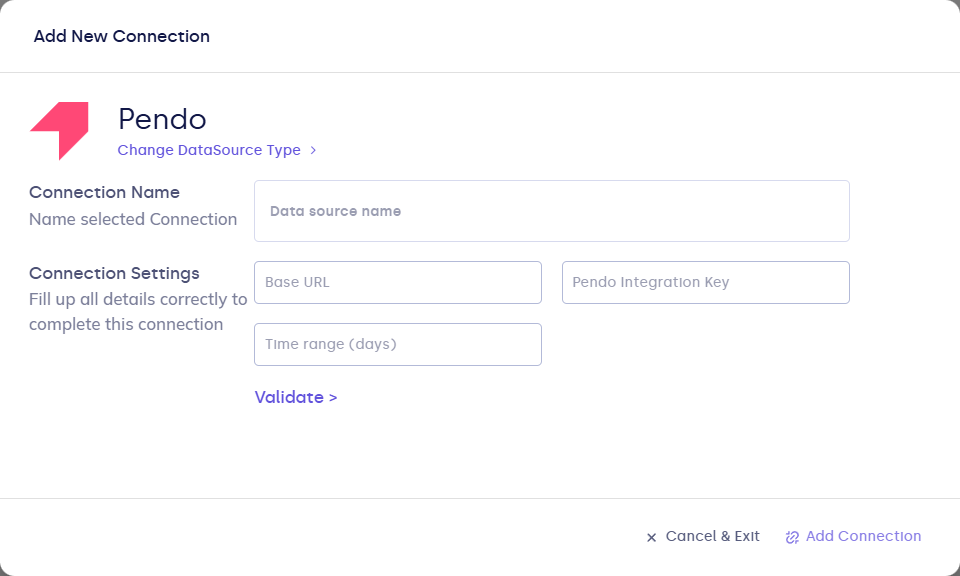
| Field | Description |
|---|---|
| Connection name | Display name. |
| integration_key | Required. Pendo integration key. |
| base_url | Optional. Pendo app base URL (no trailing slash). |
| time_range_days | Optional. Positive integer; default 7. |
- Click Validate, then Add Connection.
After you connect
Once you’ve added the Pendo data connection, a Product Activity Model will be automatically created for you.