Attio
The Attio connection lets FunnelStory read CRM objects from your Attio workspace so you can configure data models using Attio’s API-shaped AT blocks (filter, sort, and object type) in the model query step.
What FunnelStory uses it for
- Data models — Companies, people, deals, or other objects Attio exposes, mapped to FunnelStory properties after you validate the query.
Before you connect
- Create an API key or OAuth credential in Attio with access to the object types and records you need (follow Attio’s current docs for API access).
- Decide which object types (for example
companies,deals) you will model first.
Add the connection in FunnelStory
-
Open Configuration → Connections → Add connection, then choose Attio.
-
Complete the fields in the connection form:
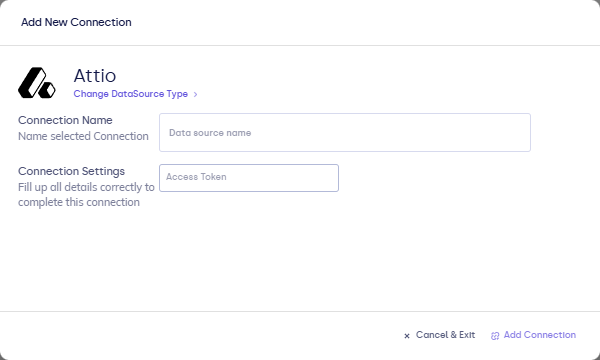
| Field | Description |
|---|---|
| Connection name | Display name in FunnelStory. |
| API key / Token | Attio credential as prompted by the UI. |
- Click Validate, then Add Connection.
After you connect
- For models, write AT blocks (filter, sort, and object type) using the format in Writing queries.
- Use Refresh on the connection or wait for scheduled syncs, per your workspace settings.