HubSpot
The HubSpot connection links FunnelStory to your HubSpot portal via OAuth so you can build data models on companies, deals, contacts, engagements, and behavioral events. It also powers CRM sync and supports AI-assisted configuration through the MCP server.
What FunnelStory syncs from HubSpot
When you connect HubSpot and configure models, FunnelStory automatically syncs the following data into its integration tables:
| What | How | Used for |
|---|---|---|
| Companies | Paginated list API | Account and user model resolution |
| Deals | Paginated list API | Account model (deals-based accounts) |
| Contacts | v3 search API scoped to deal companies | User model, email engagement resolution |
| Engagements (emails, notes, calls) | v3 CRM search API scoped to deal companies | Conversation and note models |
| Behavioral events (page views, form submissions, email opens, clicks, meetings booked, subscriptions) | Contact events API | Non-product activity models |
Engagements and contacts are synced only for companies that already have deals in HubSpot. This keeps sync fast and focused on accounts you actively manage.
Before you connect
- Use a HubSpot user with access to the objects and properties you plan to query or sync.
- In HubSpot Settings → Integrations → Private Apps (or OAuth apps), ensure the scopes FunnelStory requests are approved — your onboarding or support team can confirm the exact scope list for your workspace.
Add the connection in FunnelStory
-
Open Configuration → Connections → Add connection, then choose HubSpot under application integrations.
-
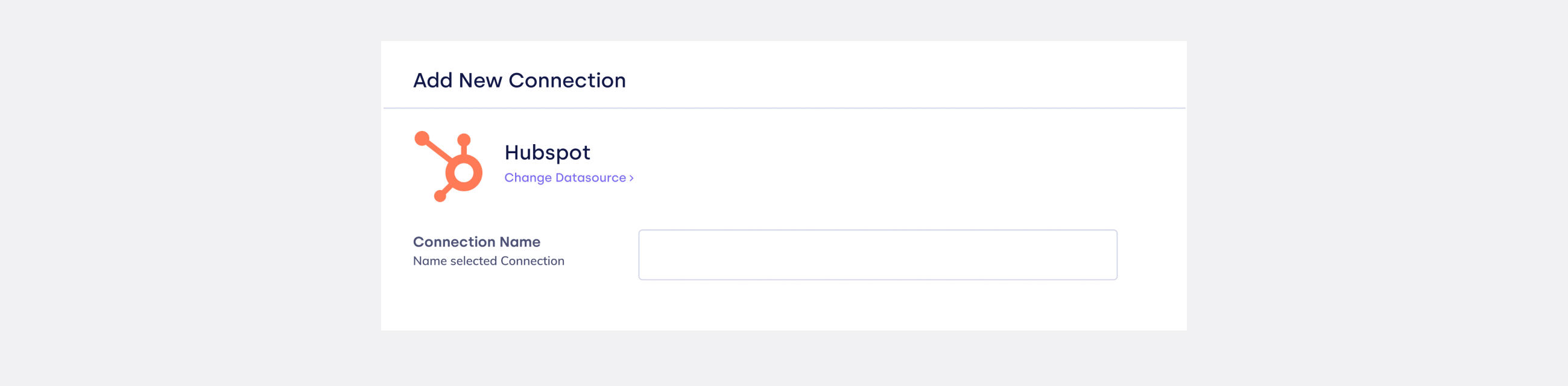
Complete the fields in the connection form:
| Field | Description |
|---|---|
| Connection name | Label in FunnelStory (for example HubSpot Production). |
| Sync Visibility | When enabled, each connection Sync also refreshes HubSpot account visibility for workspace users. See CRM visibility. |
-
Click Connect to start OAuth.
-
Approve access on HubSpot's consent screen.

Configure models
After connecting, configure models in this order. Each model depends on the previous one:
- Accounts model — built from deals + companies.
- Users model — built from contacts matched to deal companies by email domain.
- Engagement models — Conversations, Notes, Non-product activity — require contacts to be synced first.
Always configure the accounts model before users, and users before conversation or activity models. Without contacts synced (which requires the users model), engagement queries cannot resolve which account an email or event belongs to.
Using Claude to configure models
The fastest way to configure HubSpot models is through the MCP server with Claude. Claude can read your HubSpot schema, preview queries, and create all required models in the correct order with one conversation.
See Configure HubSpot models with Claude for a step-by-step walkthrough.
Manual configuration
You can also configure models manually from Configuration → Data models → Add model. Use the HubSpot connection and write SQL-style queries using the virtual tables described below.
HubSpot virtual tables
When you query a HubSpot connection, FunnelStory exposes the following virtual tables:
| Table | Contents |
|---|---|
companies | HubSpot companies with id, domain, properties |
deals | HubSpot deals with id, data |
deal_companies | Mapping of deal IDs to company IDs |
contacts_v2 | Contacts with id, email, properties (includes associatedcompanyid) |
engagements | Emails, notes, and calls with id, type, timestamp, data |
engagement_companies | Maps engagement IDs to company IDs |
engagement_contacts | Maps engagement IDs to contact IDs |
page_views | Behavioral events (page views, form submissions, etc.) with id, email, account_id, event_type, timestamp, properties |
Behavioral event types
The page_views table surfaces six HubSpot contact event types via the event_type column:
event_type | HubSpot event |
|---|---|
e_visited_page | Website page view |
e_submitted_form | Form submission |
e_opened_email | Marketing email opened |
e_clicked_email | Marketing email link clicked |
e_booked_meeting | Meeting booking (via HubSpot meetings) |
e_subscribed_to_blog | Blog subscription |
Each event type can be configured as a separate Non-product activity model to track different types of marketing engagement on the account timeline.
Related links
- Configure HubSpot models with Claude — AI-assisted configuration walkthrough
- CRM visibility
- Salesforce
- Attio
- Data connections overview