Elasticsearch
The Elasticsearch connection talks to Elasticsearch 8.x (or compatible) using either host/port or Elastic Cloud ID, with flexible auth options.
What FunnelStory uses it for
- Data models — SQL-style queries run against Elasticsearch-backed virtual tables.
Before you connect
- If the cluster only accepts traffic from known IPs, allow FunnelStory’s static egress addresses from Allowed IP addresses.
- Gather either:
hostandport(HTTPS URL is built ashttps://{host}:{port}), orcloud_idfor Elastic Cloud.
- Choose one auth mode:
user+password, orapi_key, orservice_token.
Add the connection in FunnelStory
-
Open Configuration → Connections → Add connection, then choose Elasticsearch.
-
Complete the fields in the connection form (only the combination your cluster needs):
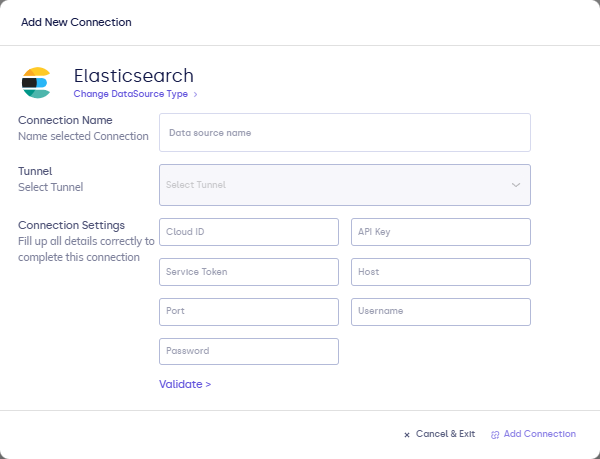
| Field | Description |
|---|---|
| Connection name | Display name. |
| host | Cluster hostname (with port). |
| port | HTTPS port (often 9243 or 443). |
| cloud_id | Elastic Cloud deployment id (alternative to host/port). |
| user / password | Basic authentication. |
| api_key | Base64-style API key auth. |
| service_token | Bearer service token when used. |
- Click Validate, then Add Connection.
After you connect
Author queries in the model builder and refresh on schedule. For clusters only reachable inside a VPC, use private networking options or an SSH tunnel if your workspace supports it.