Fathom
The Fathom connection uses OAuth to import meeting summaries and transcripts from Fathom into FunnelStory for meetings and AI-ready context on accounts.
What FunnelStory uses it for
- Meetings — Fathom recordings and summaries sync per built-in meeting behavior.
- Transcripts — When Fathom provides transcript segments, FunnelStory stores them and associates them with the corresponding meeting conversation.
Before you connect
- A Fathom admin must allow the FunnelStory integration and the signing user must have access to the meetings you want synced.
Add the connection in FunnelStory
-
Open Configuration → Connections → Add connection, then choose Fathom.
-
Complete the fields in the connection form:
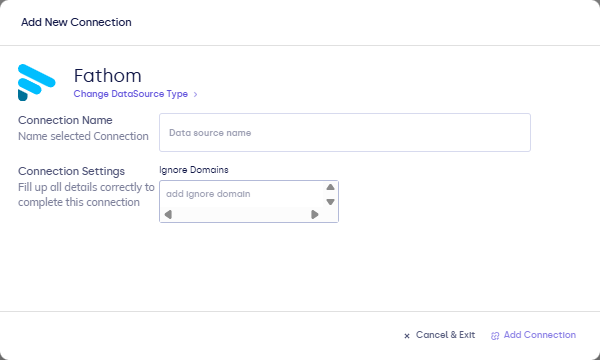
| Field | Description |
|---|---|
| Connection name | Display name. |
- Complete OAuth in the browser, then Validate / Add Connection in FunnelStory as prompted.
After you connect
Once you’ve added the Fathom data connection, a Meeting Model will be automatically created for you.
When available, the transcript includes speaker names, text, and timestamps. If a transcript isn't available for a meeting yet, it will appear on the meeting conversation once Fathom has it ready.