Gong
The Gong connection uses Gong’s access key authentication to pull calls, summaries, and transcripts into FunnelStory for meeting history and account-level context.
What FunnelStory uses it for
- Calls — Gong calls sync per the product’s built-in meeting ingestion.
- Transcripts — When Gong provides a transcript for a call, FunnelStory stores it and associates it with the corresponding meeting conversation.
Before you connect
- In Gong, create an API access key and access key secret with permission to read calls your team needs in FunnelStory.
Add the connection in FunnelStory
-
Open Configuration → Connections → Add connection, then choose Gong.
-
Complete the fields in the connection form:
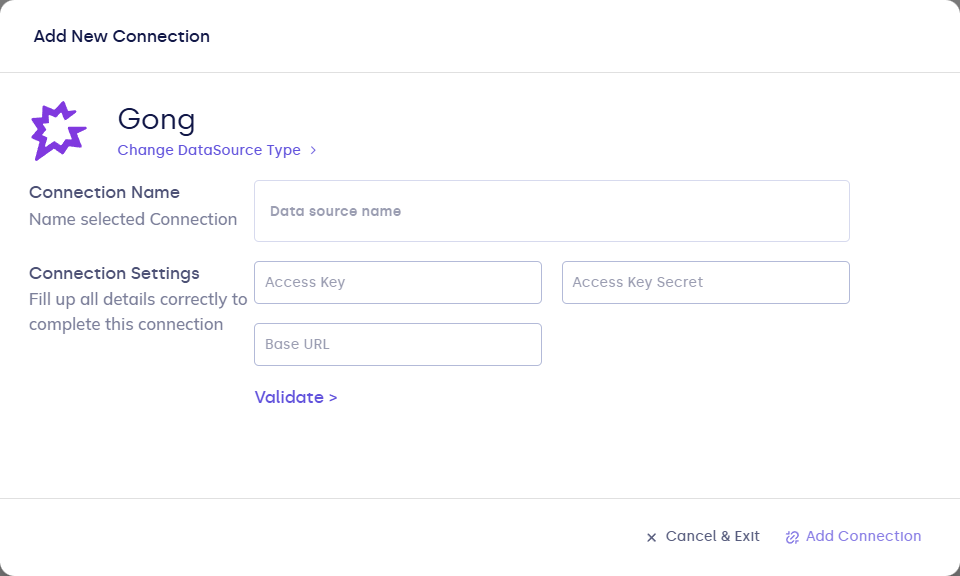
| Field | Description |
|---|---|
| Connection name | Display name. |
| access_key | Gong API access key. |
| access_key_secret | Gong API secret. |
| base_url | Optional. Override API base URL when directed by Gong. |
- Click Validate, then Add Connection.
After you connect
Once you’ve added the Gong data connection, a Meeting Model will be automatically created for you.
If a transcript isn't available for a call yet, it will appear on the meeting conversation once Gong has it ready.