Update.ai
The Update.ai connection uses an API key and secret from Update.ai to import meetings and notes into FunnelStory for meetings and conversation-style enrichment.
What FunnelStory uses it for
- Meetings — Update.ai meetings sync per built-in meeting behavior.
- Optional filtering —
ignore_domains(comma-separated) can skip content tied to specific email domains.
Before you connect
- In Update.ai, create API credentials with
api_keyandapi_secretas issued by their admin console.
Add the connection in FunnelStory
-
Open Configuration → Connections → Add connection, then choose Update.ai.
-
Complete the fields in the connection form:
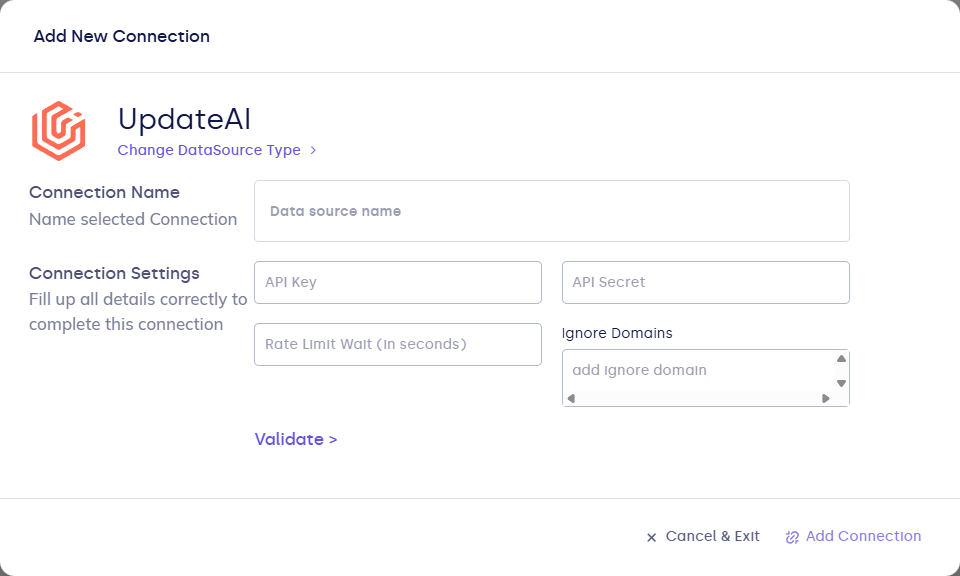
| Field | Description |
|---|---|
| Connection name | Display name. |
| api_key | Update.ai API key. |
| api_secret | Update.ai API secret. |
| ignore_domains | Optional. Comma-separated domains to ignore. |
- Click Validate, then Add Connection.
After you connect
Once you’ve added the Update.ai data connection, a Meeting Model will be automatically created for you.