Amazon SES
Connect Amazon SES so your workspace can send email through your AWS account. Recipients see mail from identities and domains you verify in SES (for example alerts@yourcompany.com)—not from FunnelStory. FunnelStory stores SES event notifications (bounces, complaints, deliveries, and related types) when you route them in through Amazon SNS (or an equivalent path) to FunnelStory’s endpoints, so engagement and delivery issues can surface in the product.
What FunnelStory uses it for
- Workflow and product email — Email actions in workflows can use this connection. The From address must be an identity permitted in your SES configuration.
- SES event ingestion — Configuration events from SES (via SNS → HTTPS, as documented for your workspace) are stored and can drive visibility into sends tied to workflows.
Before you connect
- Create an IAM user (or role whose keys you use) for FunnelStory.
- Validate connection (Ping) uses
sts:GetCallerIdentitywith the access key, region, and secret you enter. For actual sending, the same principal also needs SES sending permissions in that region (for example permissions that allowses:SendEmail/ses:SendRawEmailor the v2 API operations your account uses). If Ping succeeds but sends fail, widen IAM to match SES’s docs for programmatic sending. - Know the
aws_regionwhere you send and where SES is configured. - For event visibility in FunnelStory, configure SES → SNS → HTTPS (or your org’s approved variant) so notifications reach the webhook URLs your workspace provides.
Add the connection in FunnelStory
-
Open Configuration → Connections → Add connection, then choose Amazon SES.
-
Complete the fields in the connection form:
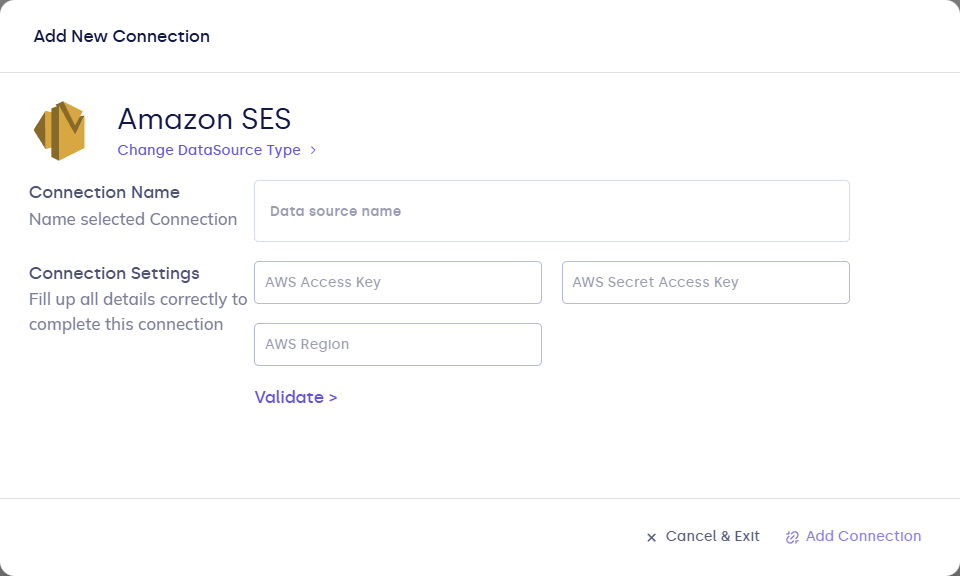
| Field | Description |
|---|---|
| Connection name | Display name. |
| aws_access_key_id | IAM access key ID. |
| aws_secret_access_key | IAM secret access key. |
| aws_region | AWS region (for example us-east-1). |
| reply_to_email | Optional. Default Reply-To for sends using this connection. |
- Click Validate, then Add Connection.
After you connect
- Use this connection in workflow email steps with a From address that SES accepts for your account.
- Complete SNS (or equivalent) subscription so SES publishing events reach FunnelStory; without that path, sends may work while in-product event history stays empty.
- Use Refresh on the connection per your workspace’s schedule or when troubleshooting.