Freshdesk
The Freshdesk connection syncs support tickets from Freshdesk into FunnelStory for ticket views and account-level support context.
What FunnelStory uses it for
- Tickets — Ticket records sync into FunnelStory’s support shape per built-in behavior.
- Account linkage — Tickets associate with accounts based on requester email, company fields, or rules the product applies.
Before you connect
- In Freshdesk Profile settings → API, generate an API key for an agent with access to the tickets and contacts you need.
- Know your Freshdesk subdomain (the hostname part before
.freshdesk.com, same value Freshdesk uses in API URLs).
Add the connection in FunnelStory
-
Open Configuration → Connections → Add connection, then choose Freshdesk.
-
Complete the fields in the connection form:
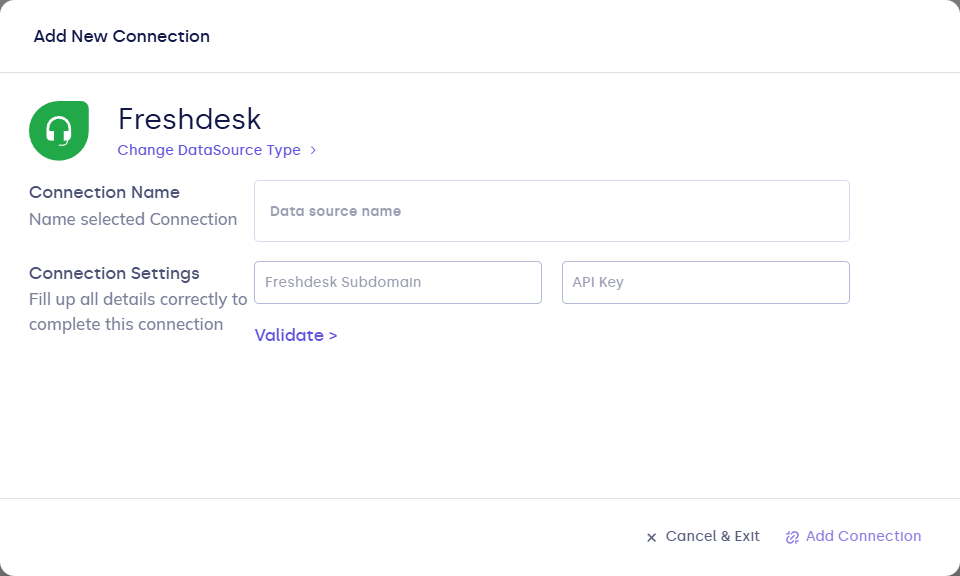
| Field | Description |
|---|---|
| Connection name | Display name. |
| subdomain | Your Freshdesk subdomain (not the full URL). |
| api_key | Freshdesk API key. |
- Click Validate, then Add Connection.
After you connect
Once you’ve added the Freshdesk data connection, a Support Ticket Model will be automatically created for you.