Zoho Desk
The Zoho Desk connection syncs tickets from Zoho Desk into FunnelStory for ticket history on accounts.
What FunnelStory uses it for
- Tickets — Tickets and metadata sync per built-in support behavior.
- Filtering — Optional
ignore_domainsskips ticket requester emails whose domains you list (comma-separated).
Before you connect
- FunnelStory uses OAuth with Zoho. You need your Zoho Desk organization ID (
org_id) from Zoho Desk admin/settings. - If your account uses a Zoho data center other than the default, you may need
zoho_domain(for examplezoho.eu); when empty, the product defaults tozoho.com.
Add the connection in FunnelStory
-
Open Configuration → Connections → Add connection, then choose Zoho Desk.
-
Complete the fields in the connection form:
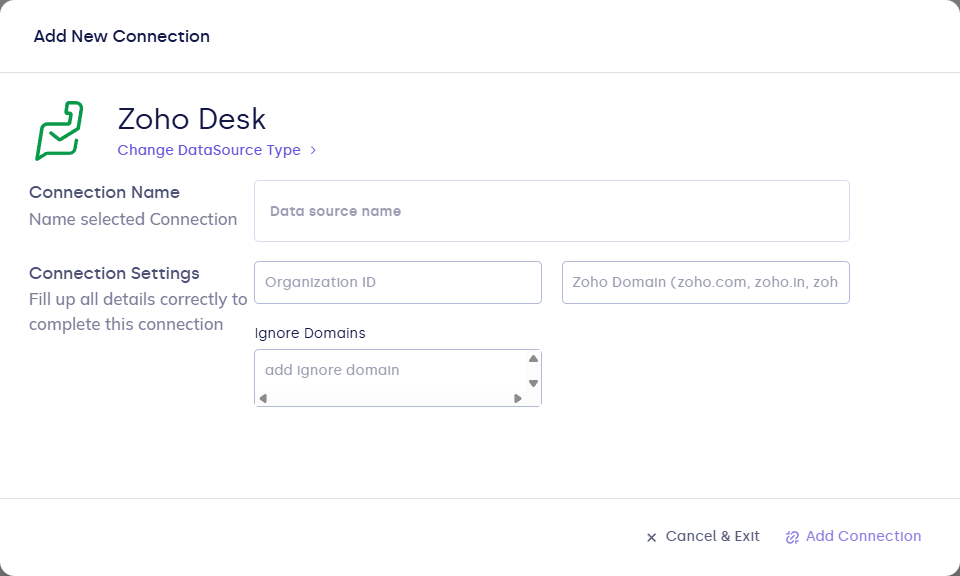
| Field | Description |
|---|---|
| Connection name | Display name. |
| org_id | Required. Zoho Desk organization ID. |
| zoho_domain | Optional. Zoho region host; defaults to zoho.com when unset. |
| ignore_domains | Optional. Comma-separated email domains to exclude from ingestion. |
- Click Connect to start OAuth in Zoho, then return to FunnelStory and Validate / Add Connection as the UI shows.
After you connect
Once you’ve added the Zoho Desk data connection, a Support Ticket Model will be automatically created for you.