Databricks
The Databricks connection lets FunnelStory run SQL against Databricks SQL warehouses (or SQL endpoints) so data models can read from Unity Catalog–backed tables and views your team already curates.
What FunnelStory uses it for
- Data models — Queries executed through the Databricks SQL interface you configure.
Before you connect
FunnelStory connects with a Databricks service principal and a personal access token created for that principal (not the interactive UI token flow for end users). At a high level:
- Create a service principal in Databricks account settings.
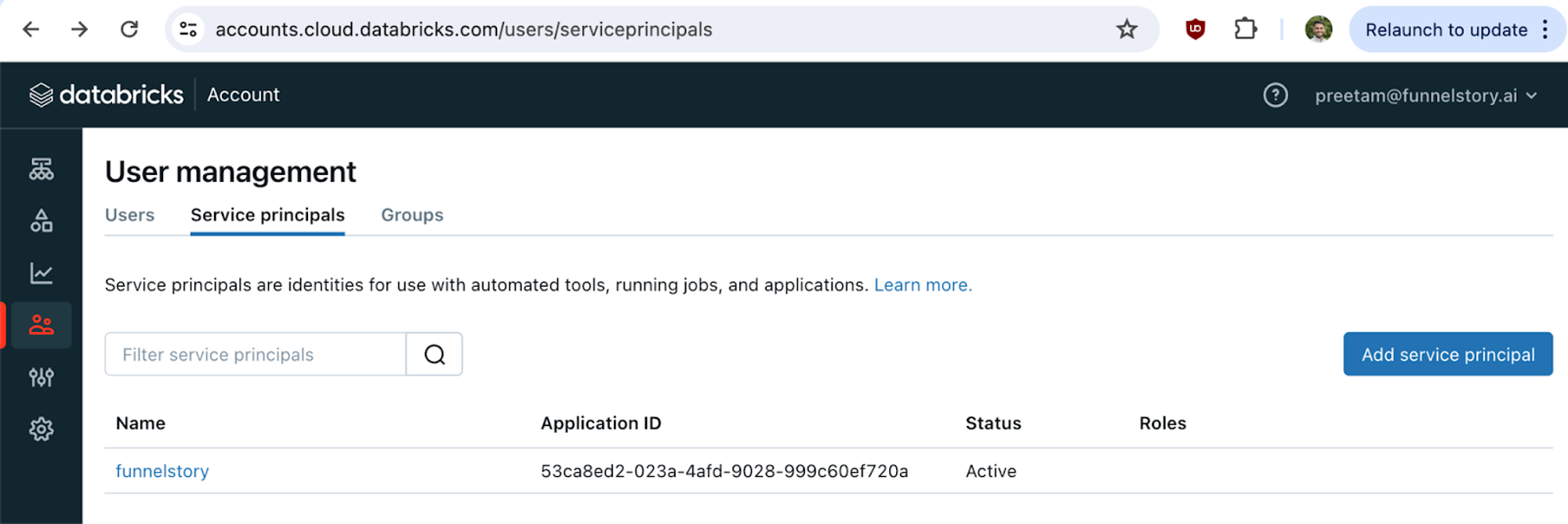
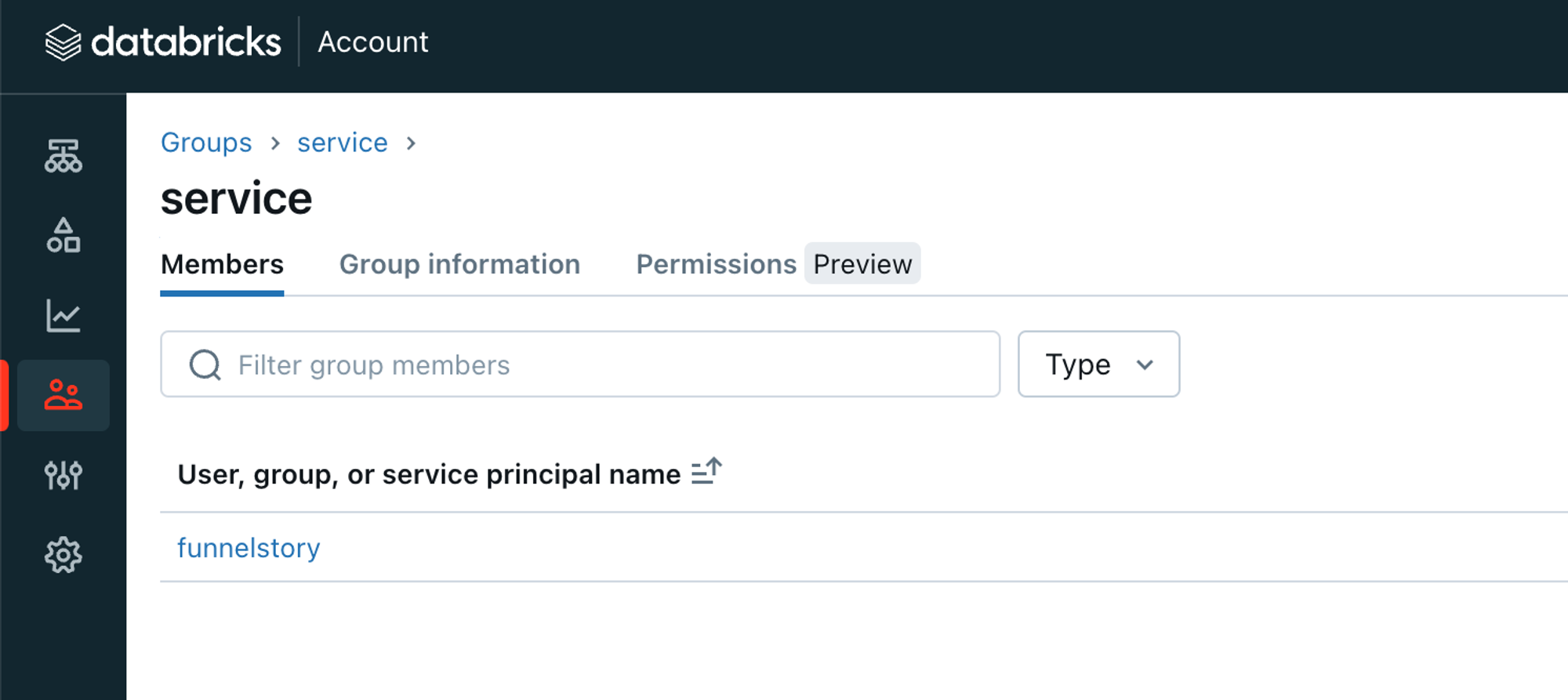
- Create a group and add the service principal to it.
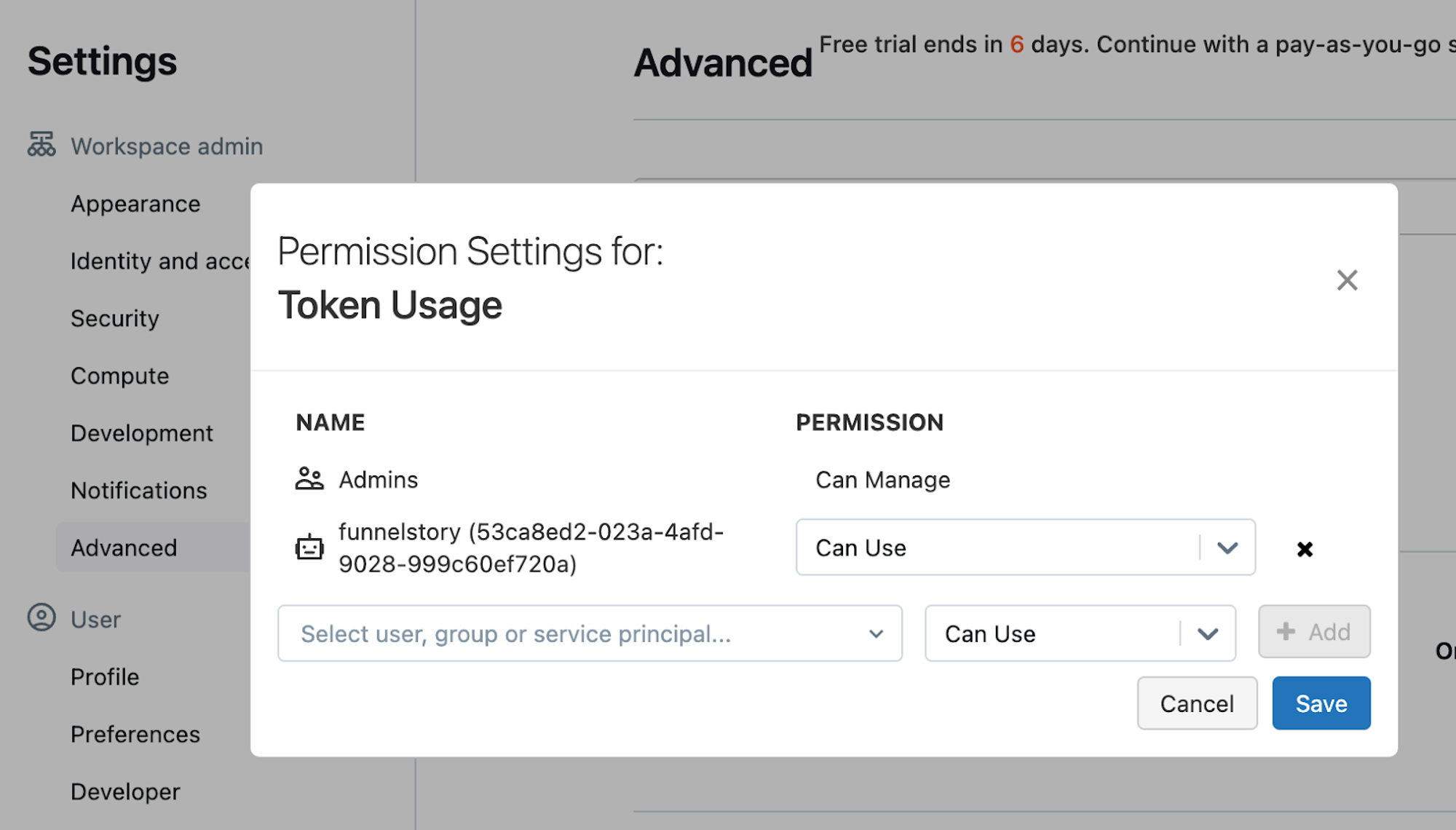
- Allow the service principal to use tokens (token management permission).
-
Use the Databricks CLI (per Databricks PAT docs) to create an on-behalf-of token for the service principal; keep the
token_valuefor FunnelStory. -
In the Databricks SQL editor, grant the group access to the catalog or objects the principal should read (tighten grants to least privilege in production).
Also note the server hostname (workspace SQL API host), HTTP path for your SQL warehouse (from SQL Warehouses → Connection details), and optional default catalog / schema.
Add the connection in FunnelStory
-
Open Configuration → Connections → Add connection, then choose Databricks.
-
Complete the fields in the connection form:
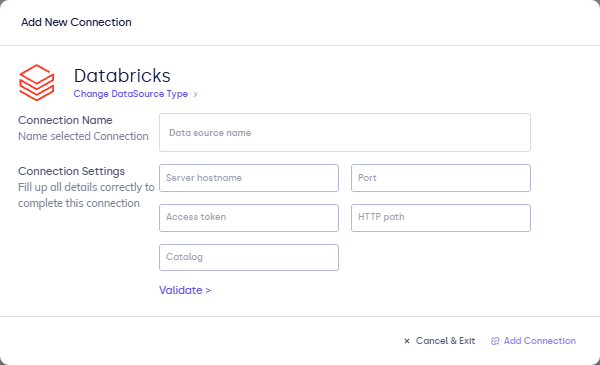
| Field | Description |
|---|---|
| Connection name | Display name. |
| Server hostname | Databricks workspace SQL API host. |
| HTTP path | Path to the SQL warehouse (from Databricks SQL settings). |
| Token | Personal access token. |
| Catalog / Schema (optional) | Defaults for unqualified table names if the form includes them. |
- Click Validate, then Add Connection.
After you connect
Use this connection in models with Databricks SQL. See Writing queries.